
Features
Every IFR training tool in one app
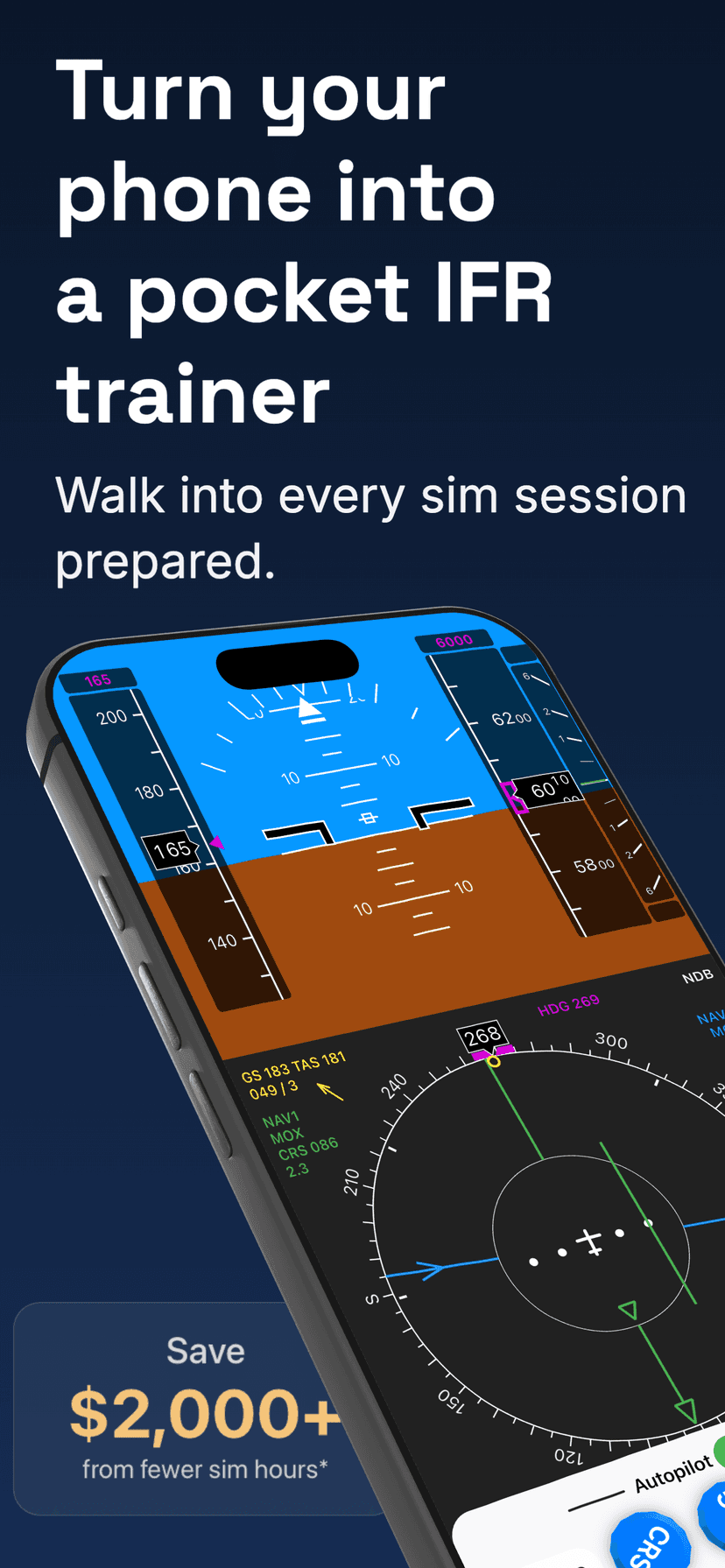
Practice holding patterns, intercepts, and DME arcs as separate exercises, then fly the full procedure in the real-time simulator. Every exercise works with a glass cockpit and a traditional HSI and RMI panel.
Why It Matters
Train on your phone. Deliver in the sim.
Practice nav setups, see how needles respond, and walk into every simulator session ready.


Cockpit Layouts
Glass cockpit or traditional HSI and RMI gauges
All exercises and the flight simulator work with both layouts. You can change between them at any time.
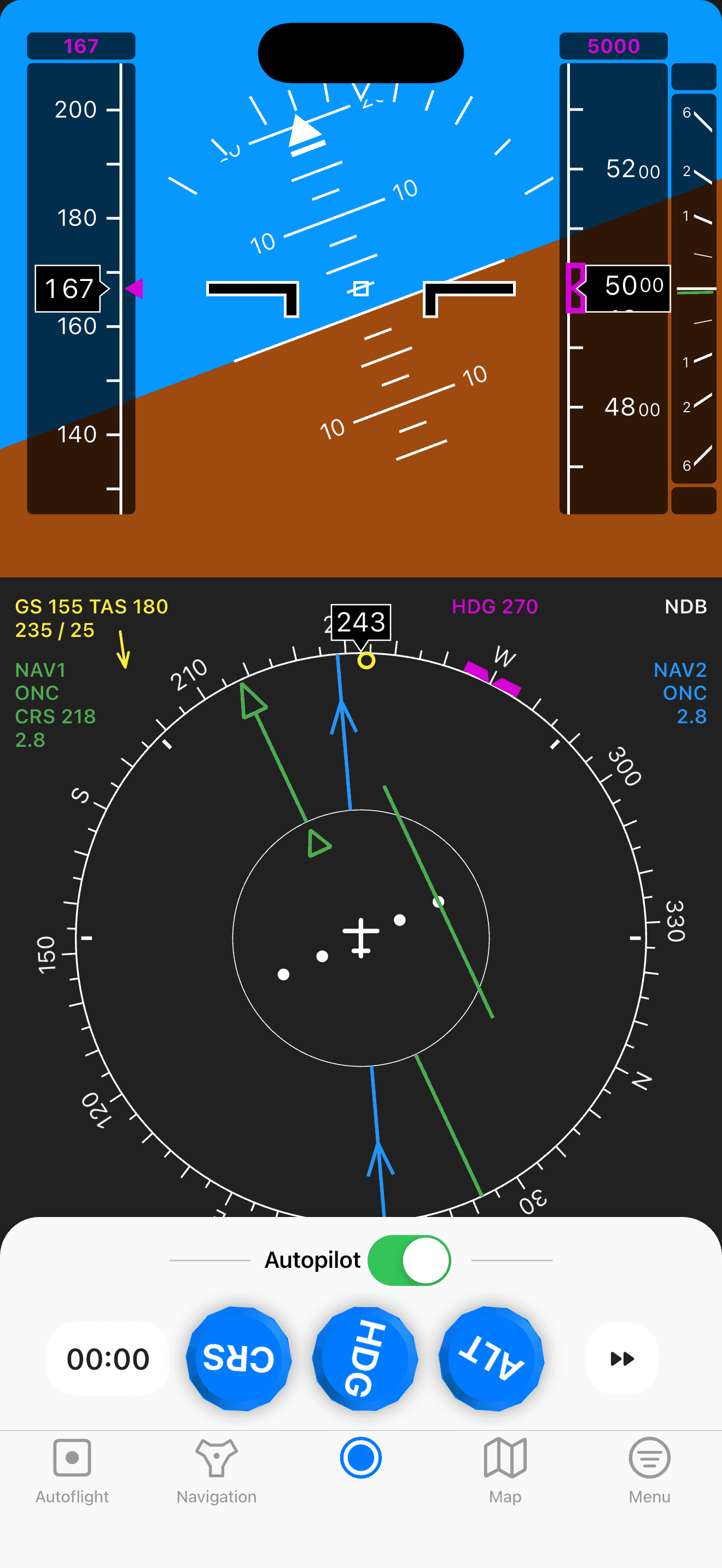

Glass cockpit
PFD and ND — the airline workflow.
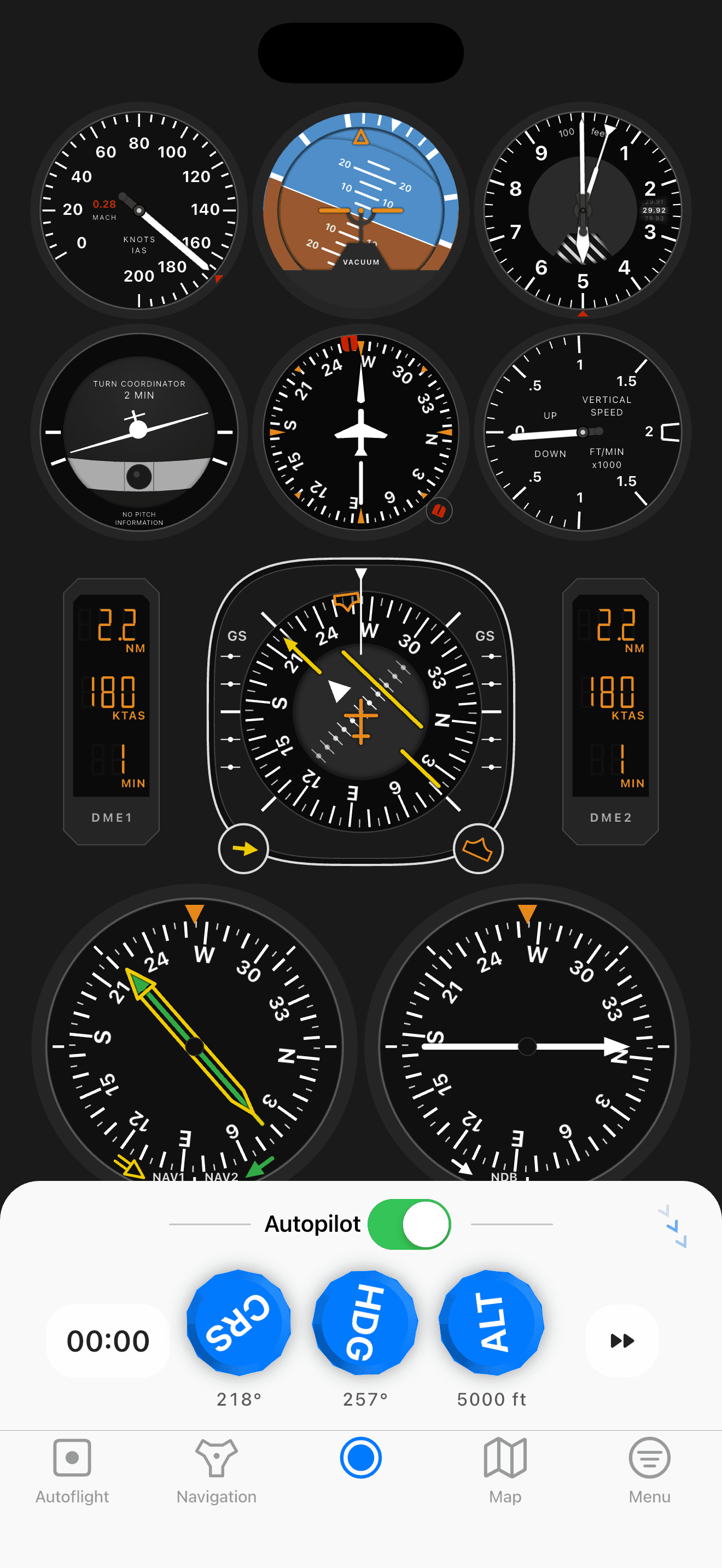
Analog cockpit
HSI and RMI — the traditional scan.
What's Inside
Everything you need to train IFR — on your phone
Holdings, intercepts, approaches, full flights. Practice with real navdata at real airports, debrief every flight, and build the reflexes that save sim hours.
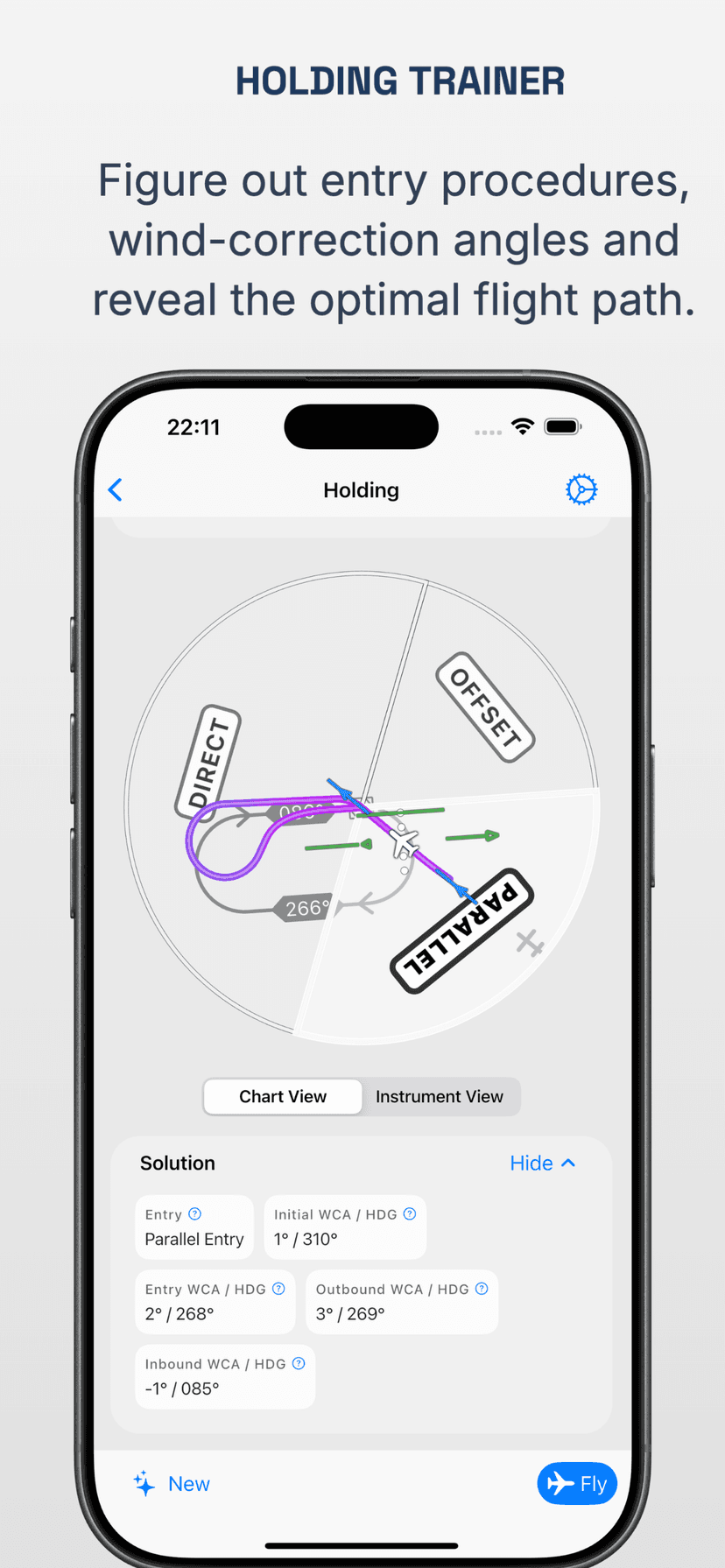
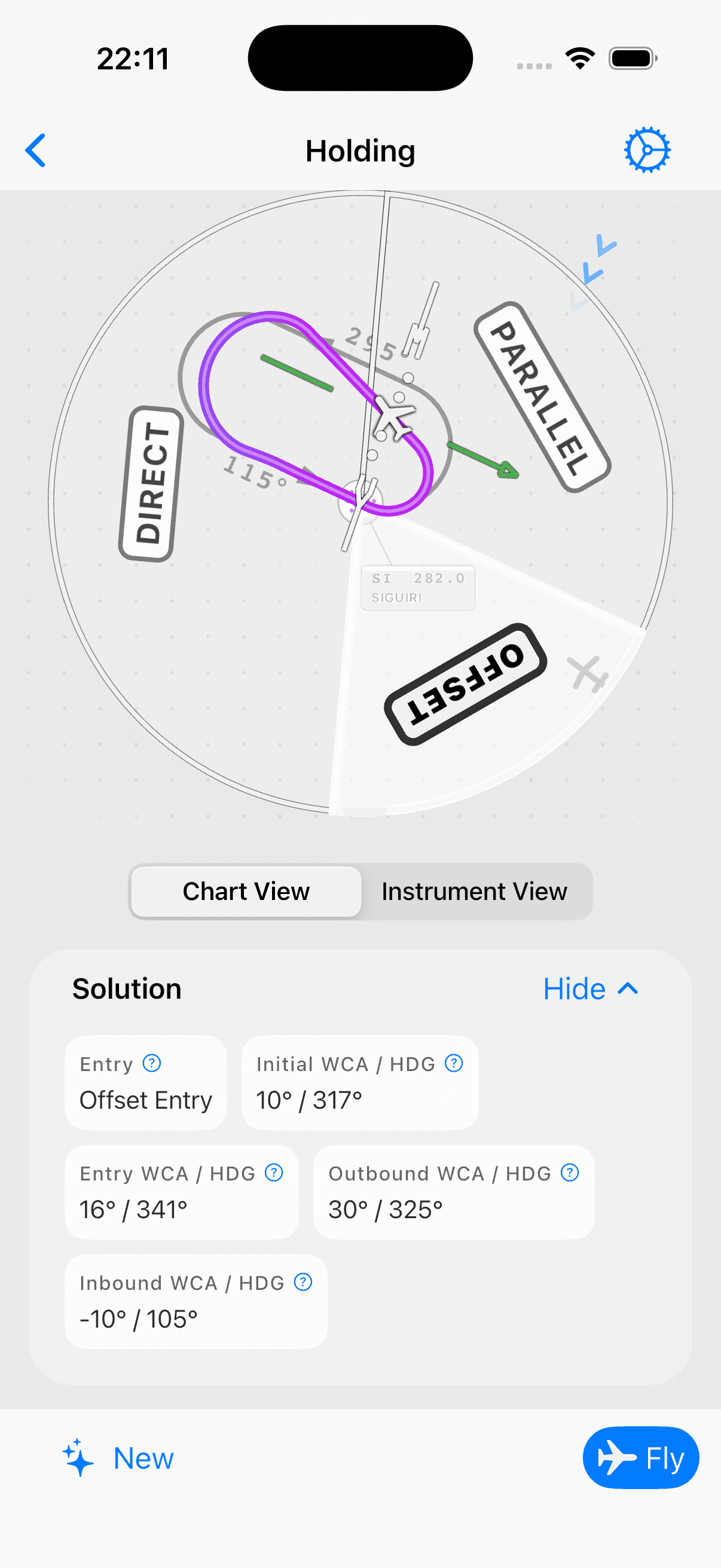
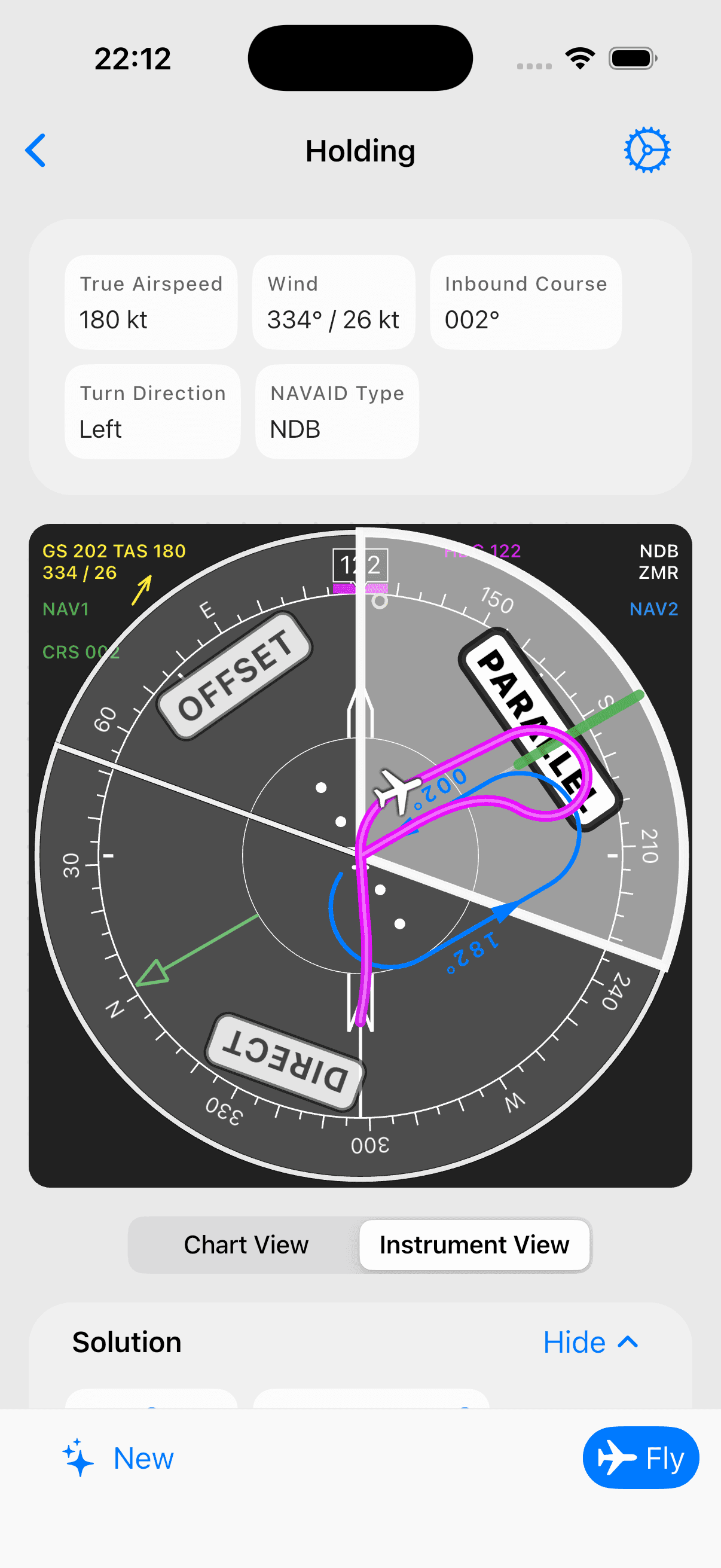
Master holding patterns — entry types, wind correction, all the details
Randomized holding situations with full entry procedure determination using the needle-tail 70/110 method. Calculate wind correction angles for entry, inbound, and outbound legs with step-by-step explanations.
- Optimal flight path overlay showing drift during turns — see why 3× WCA is needed outbound
- Live needle movement around the aircraft symbol for real-time instrument interpretation
- Chart view and instrument view for every situation
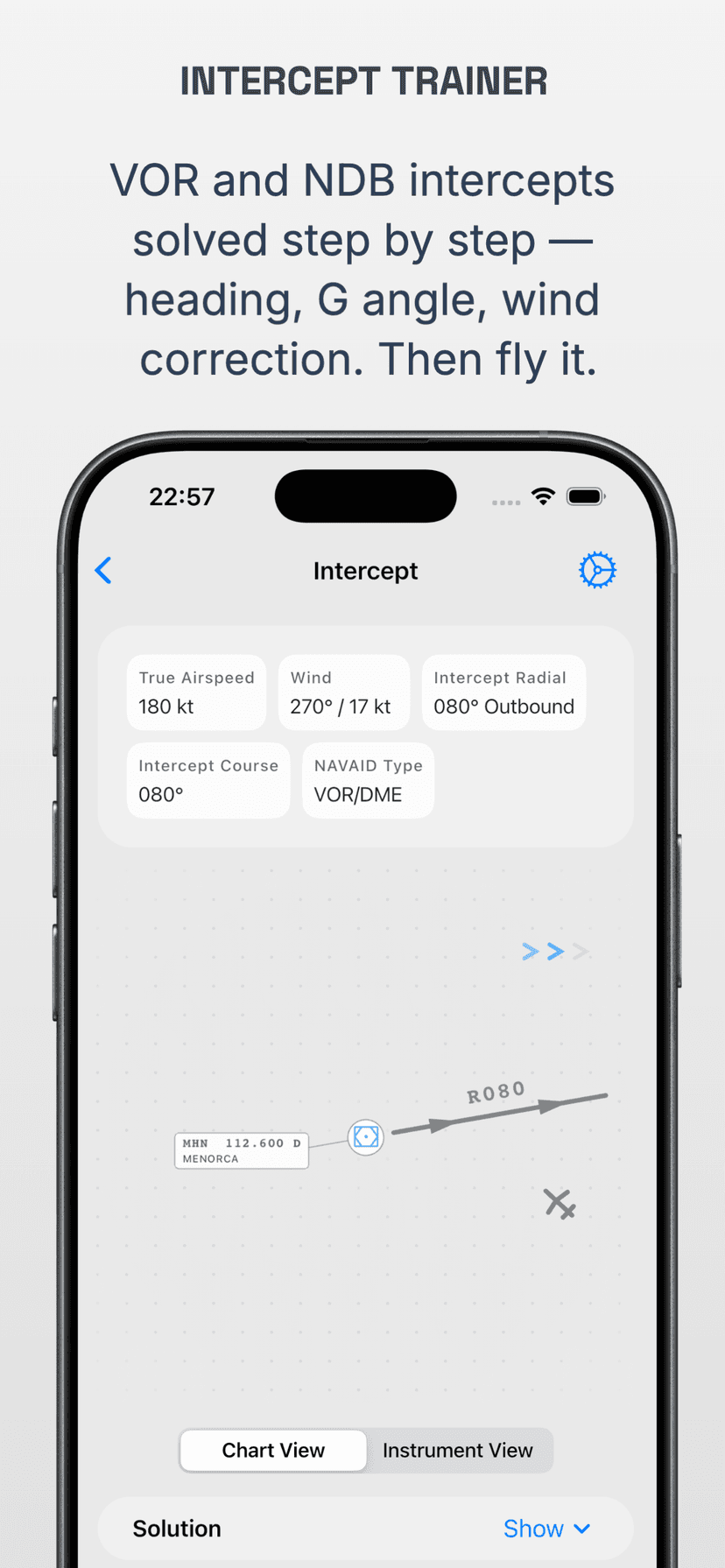
Fly radial and bearing intercepts with confidence
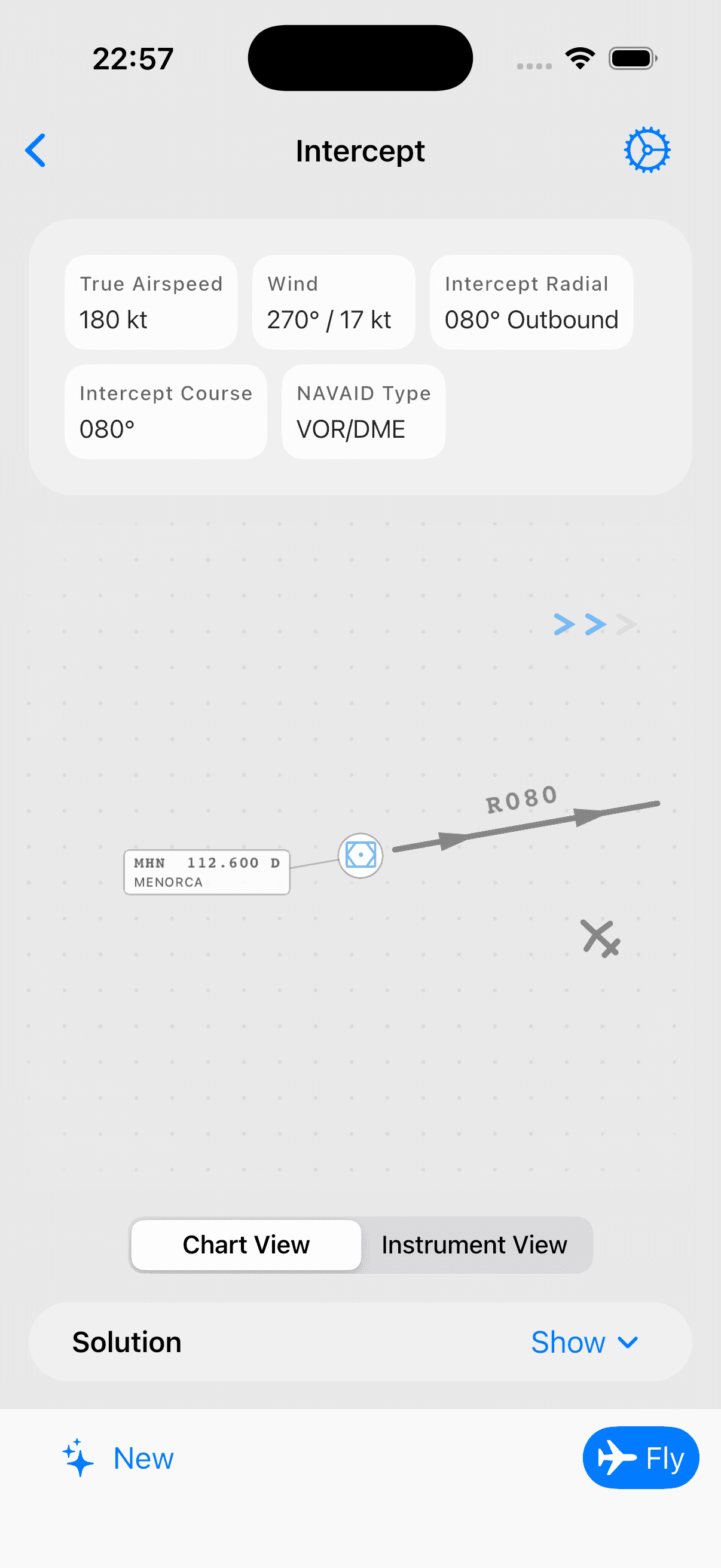
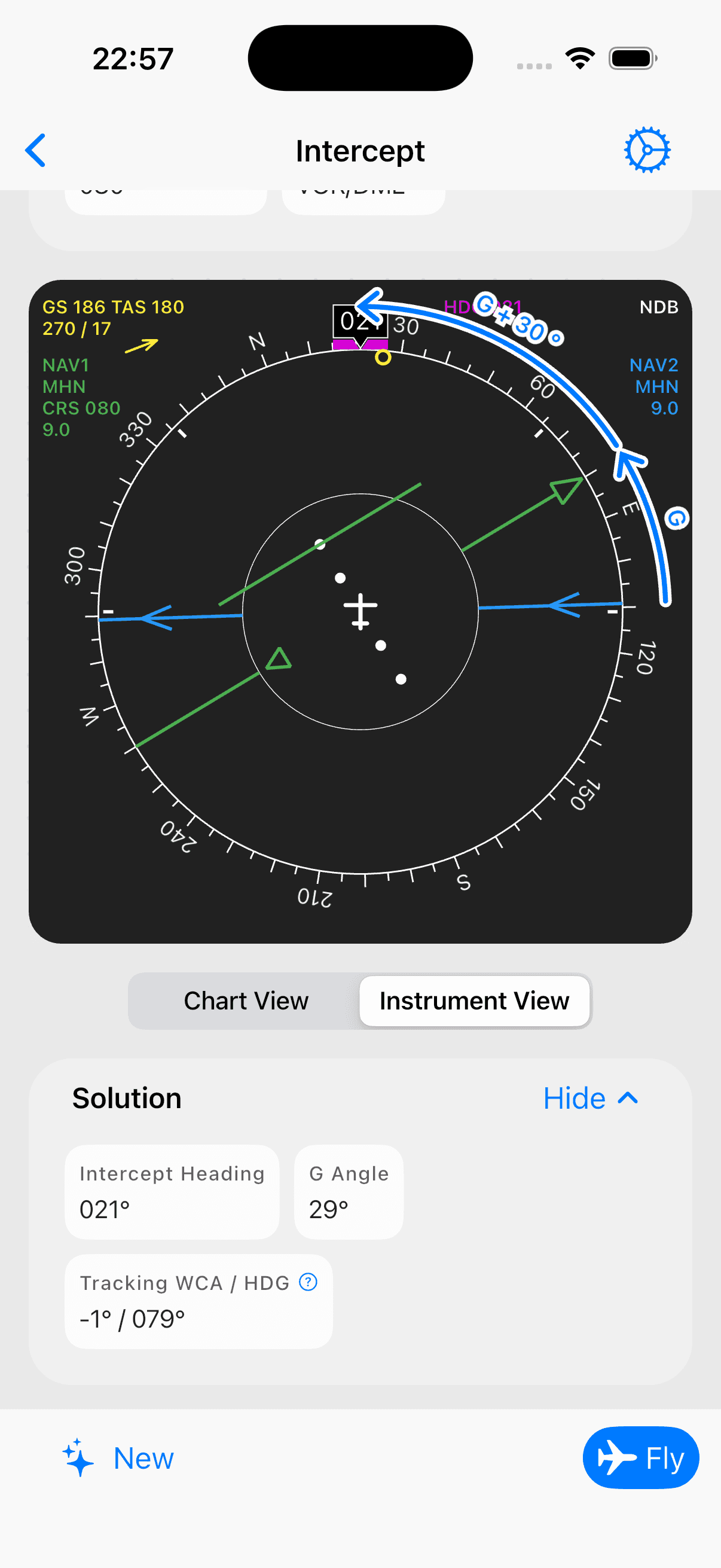
Practice VOR radial intercepts — inbound and outbound — as well as NDB QDR and QDM intercepts. Each randomized situation shows the navigation display needle setup and walks you through the correct intercept heading calculation with wind correction.
- Step-by-step solution with wind correction angle calculation
- Fly every intercept in the real-time simulator after solving it
- Chart view and instrument view for building the mental model
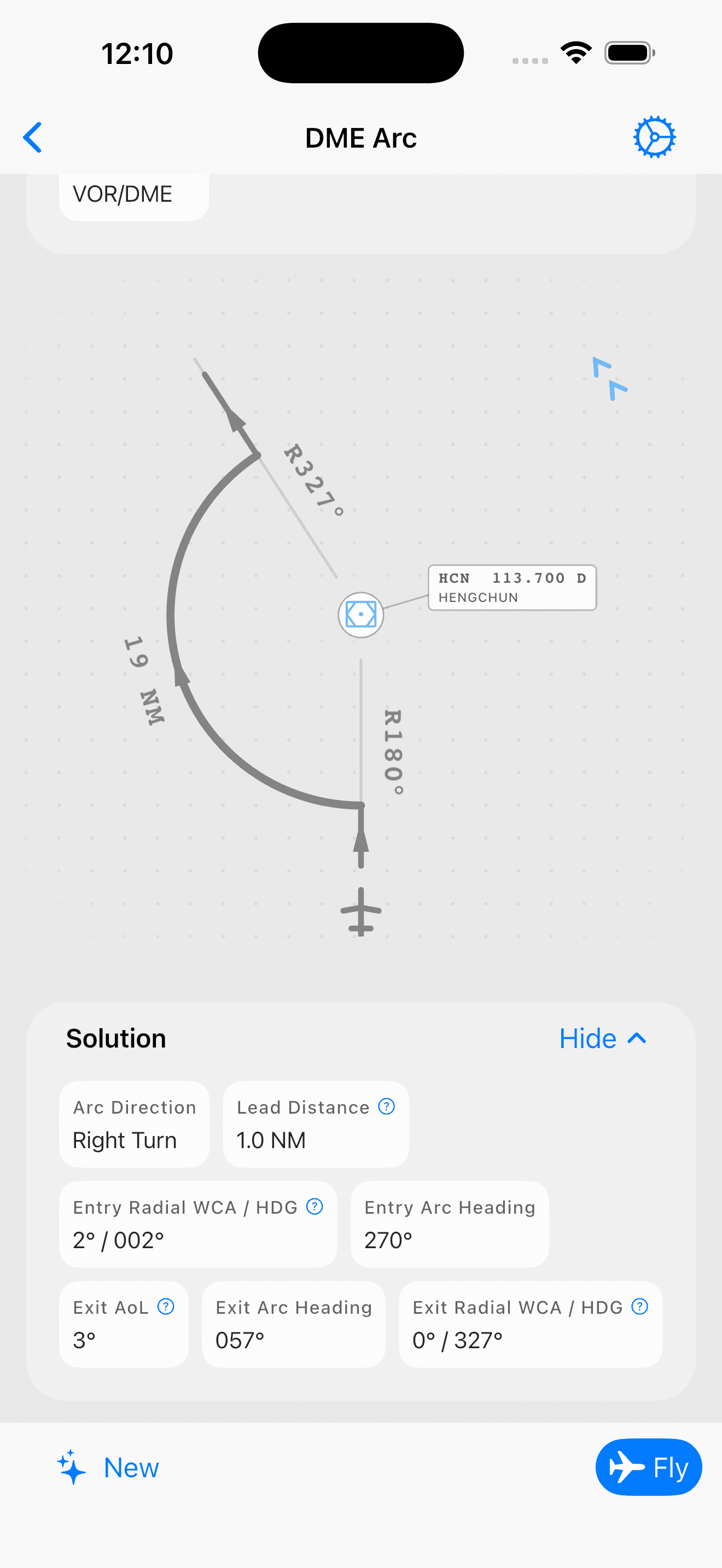
Fly DME arcs — entry, tracking, and exit
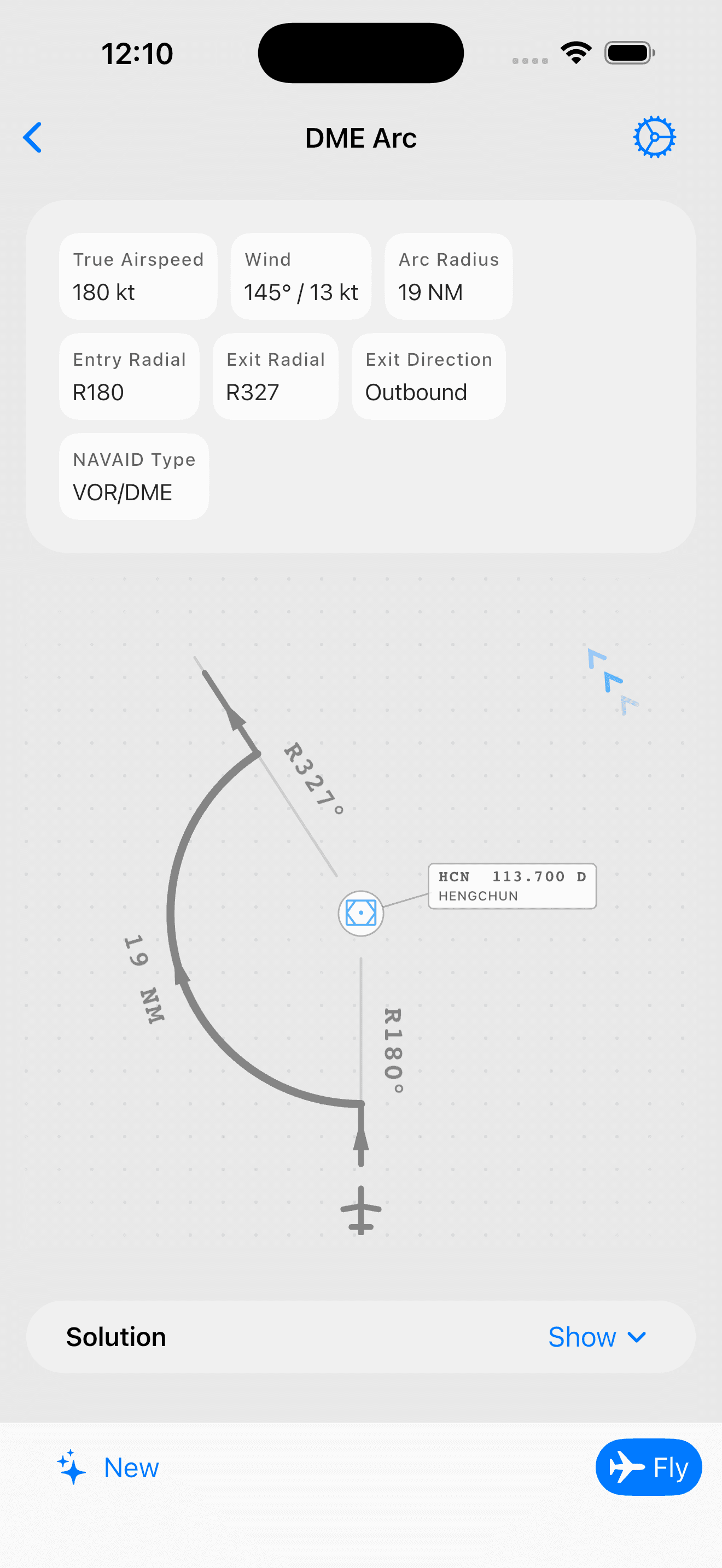
Randomized DME arc situations at real navaids. Walk through the arc entry, hold the distance with the turn-ten / twist-ten technique, and exit cleanly onto the inbound radial. Each situation includes a step-by-step guide to the entry lead distance and exit angle of lead calculations.
- Step-by-step entry, tracking, and exit calculations with wind correction
- Fly every arc in the real-time simulator after solving it
- Monitor the live map to see exactly how distance and radial behave on the arc
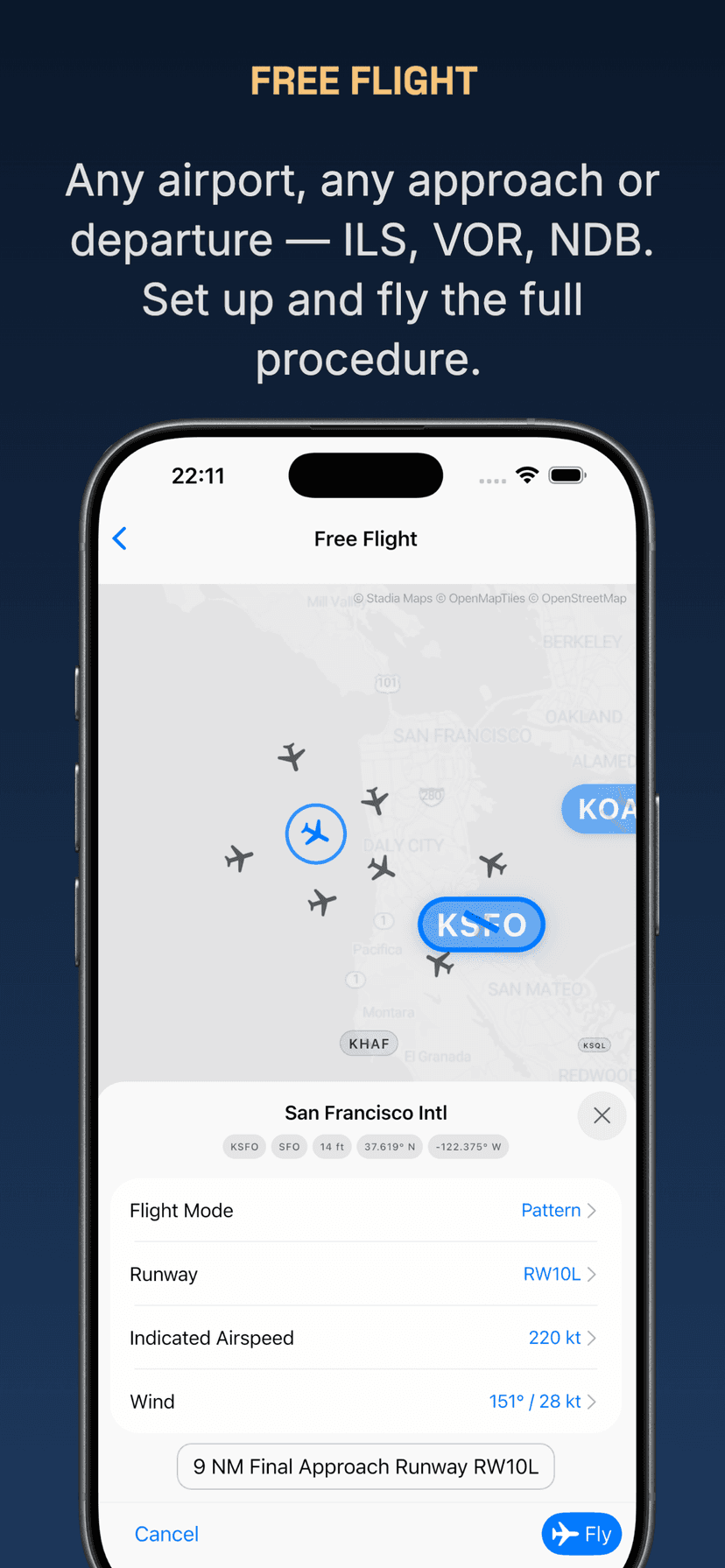
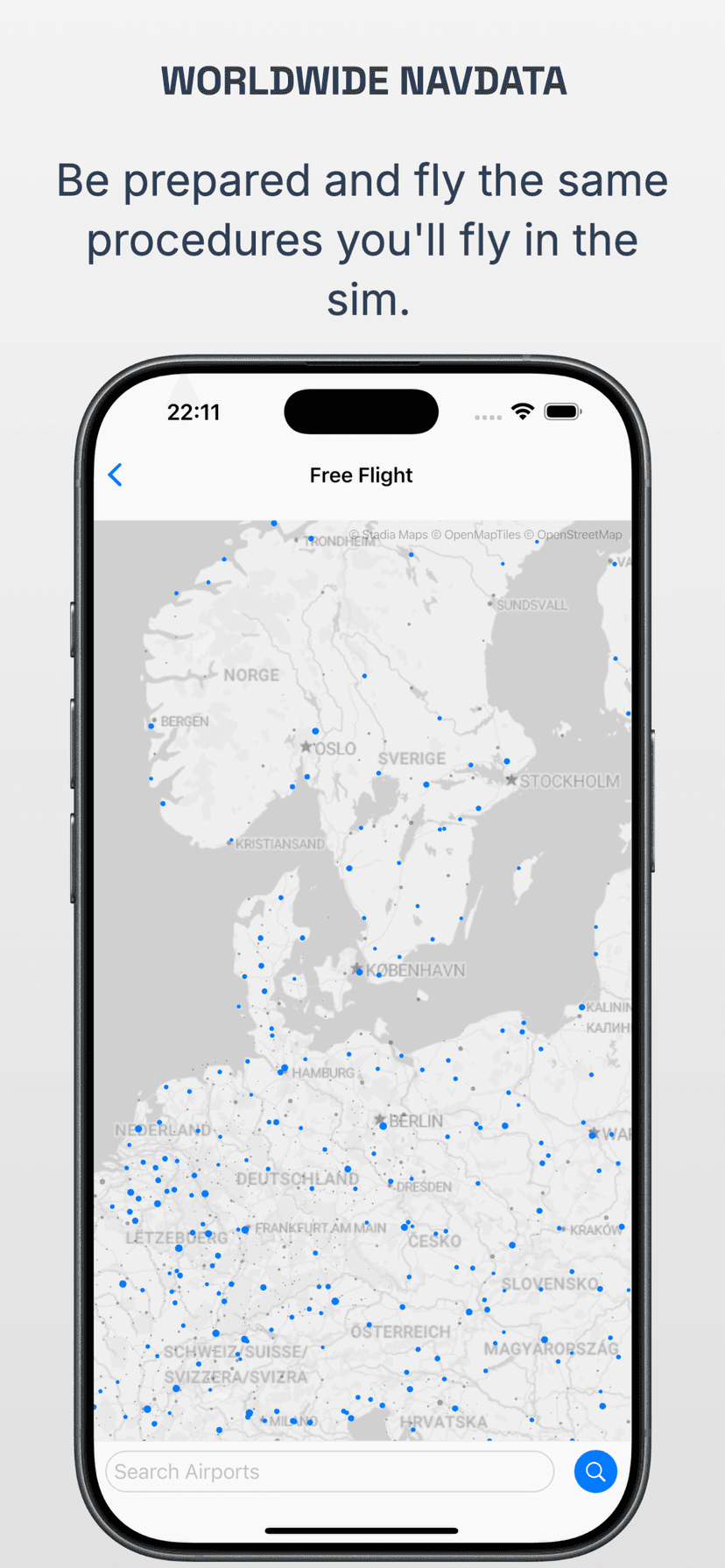
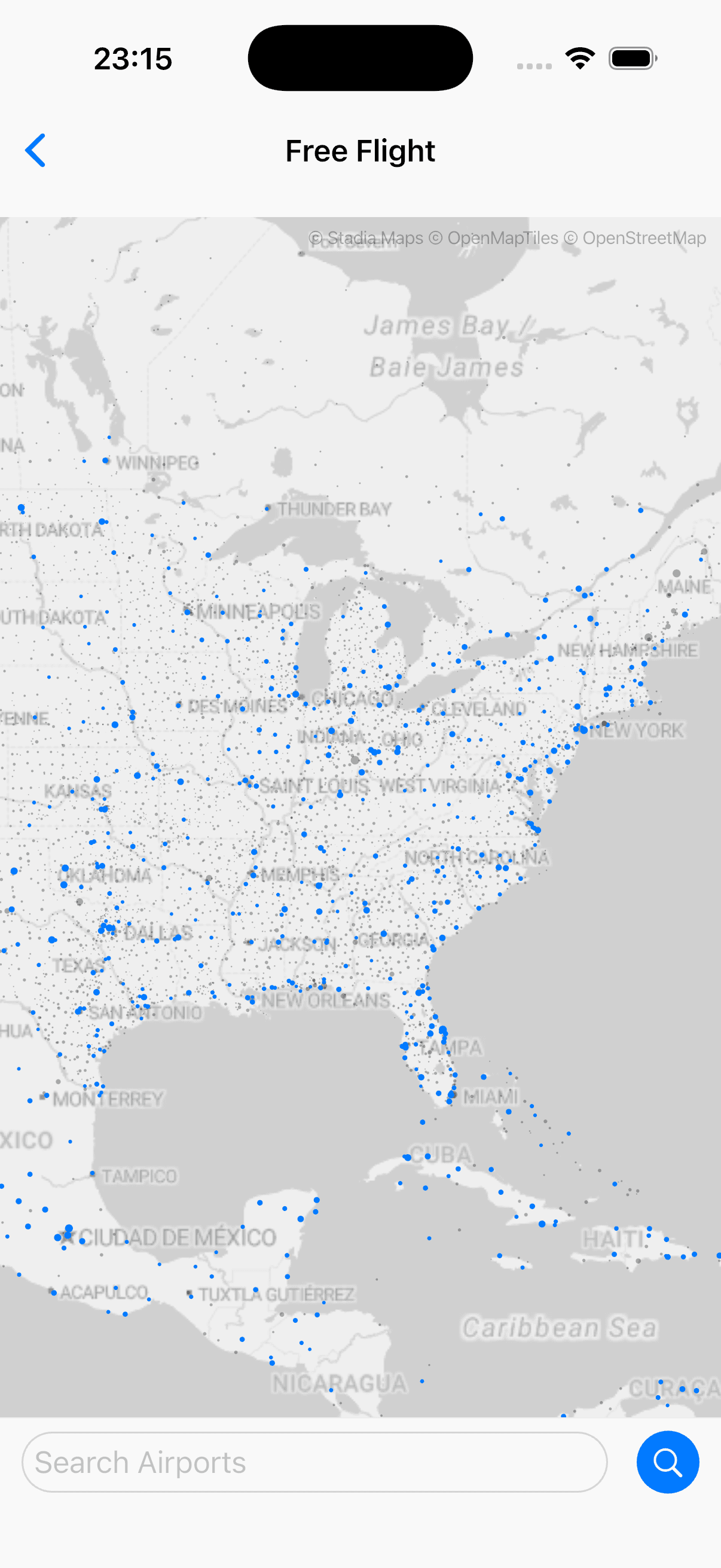
Fly real approaches at real airports — anywhere in the world
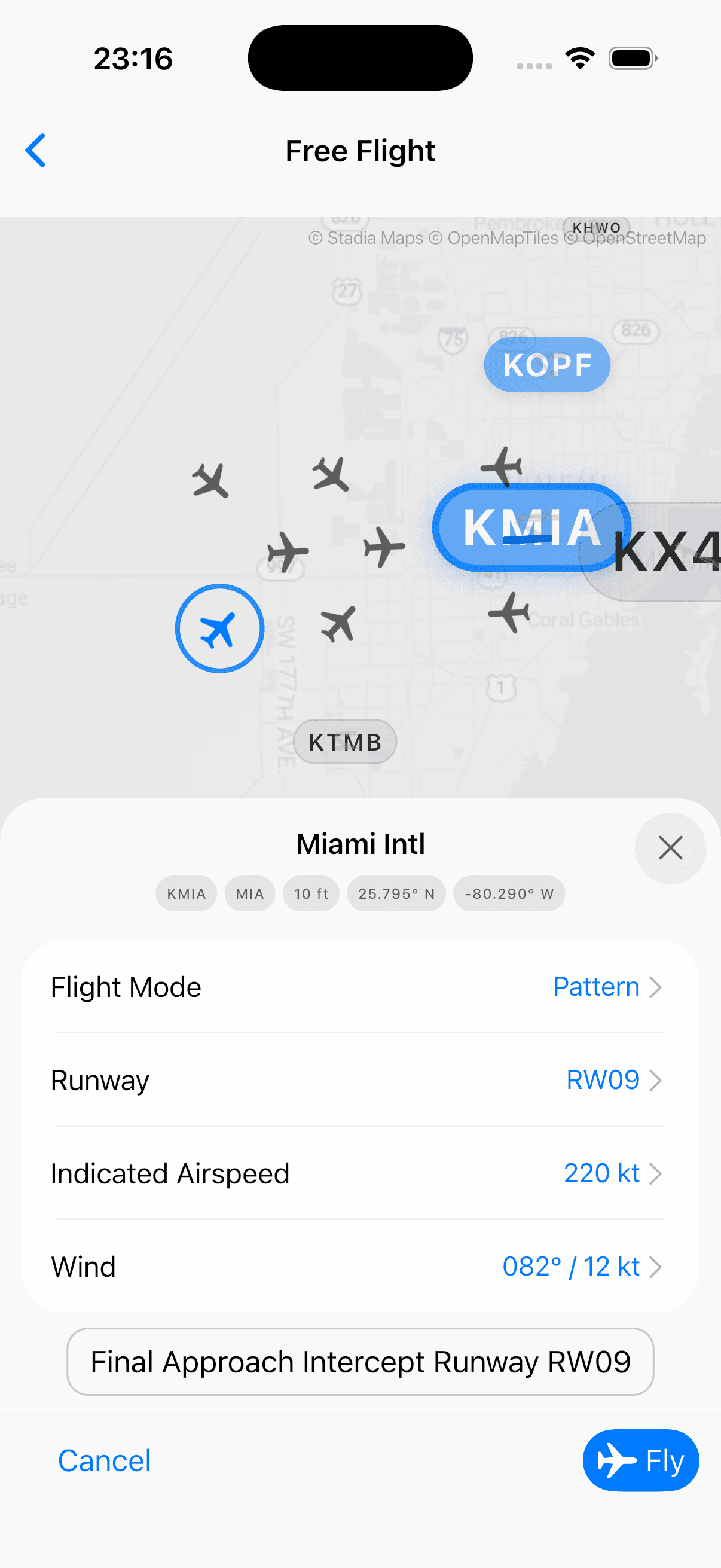
Worldwide airport and navaid coverage with real navigation data. Select any airport, set up on final, downwind, base, or further out — then fly the full ILS, VOR, or NDB approach. Tune your desired navaids, fly airport to airport, or repeat a single procedure until it's automatic.
- Worldwide navaid coverage — tune VORs, DMEs, and NDBs just like in the cockpit
- Fly ILS, VOR, and NDB approaches from any position — downwind, base, or extended final
- Navigate point-to-point between airports or fly full SIDs and STARs
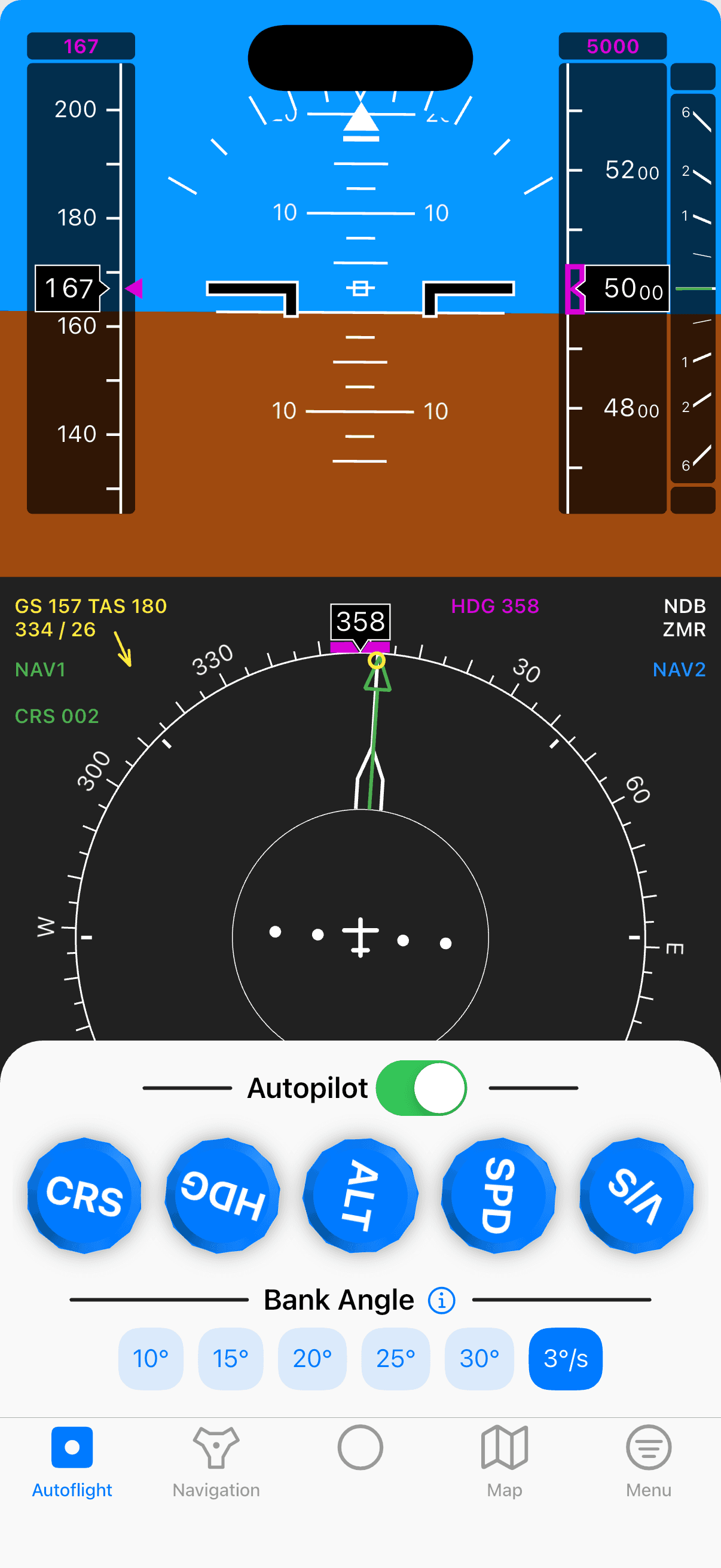
Fly the full procedure — in glass or analog
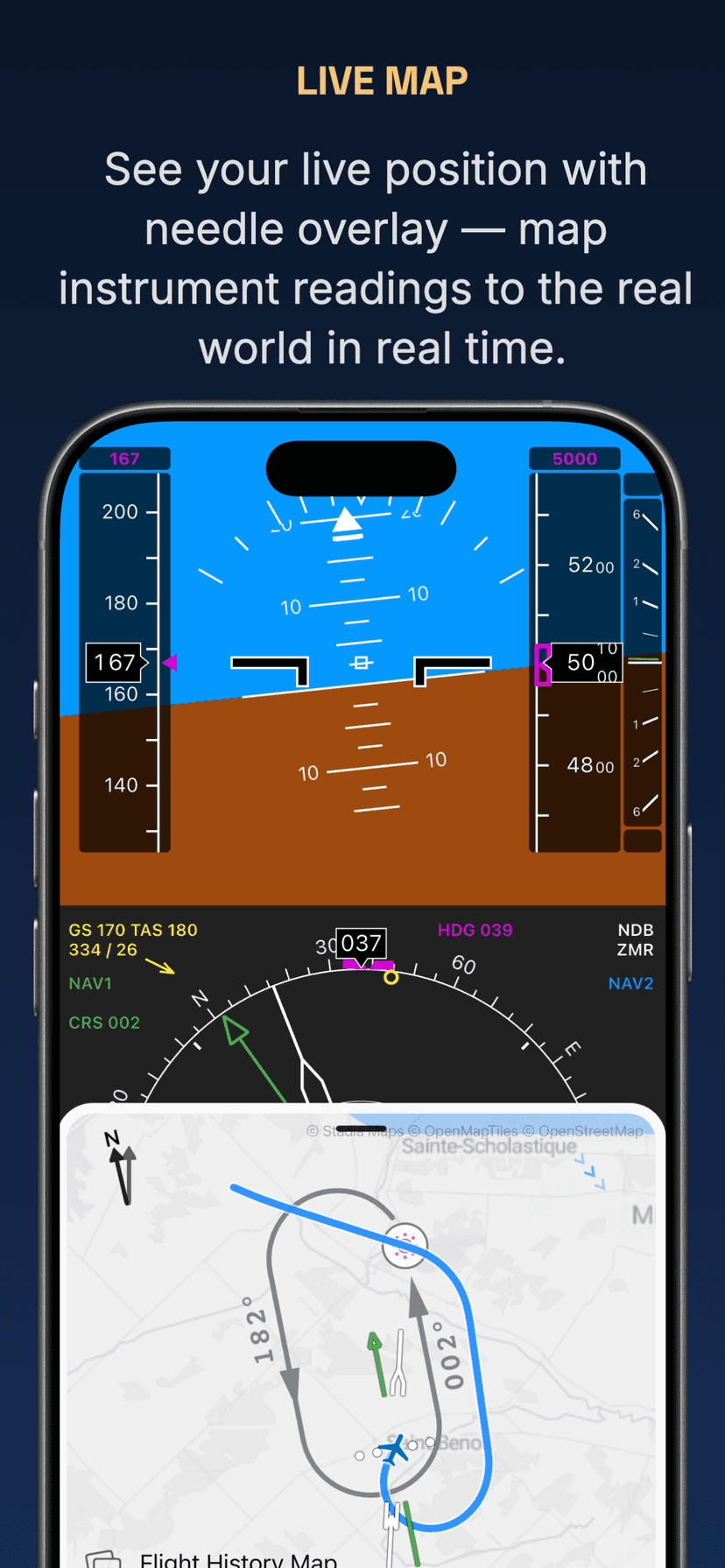
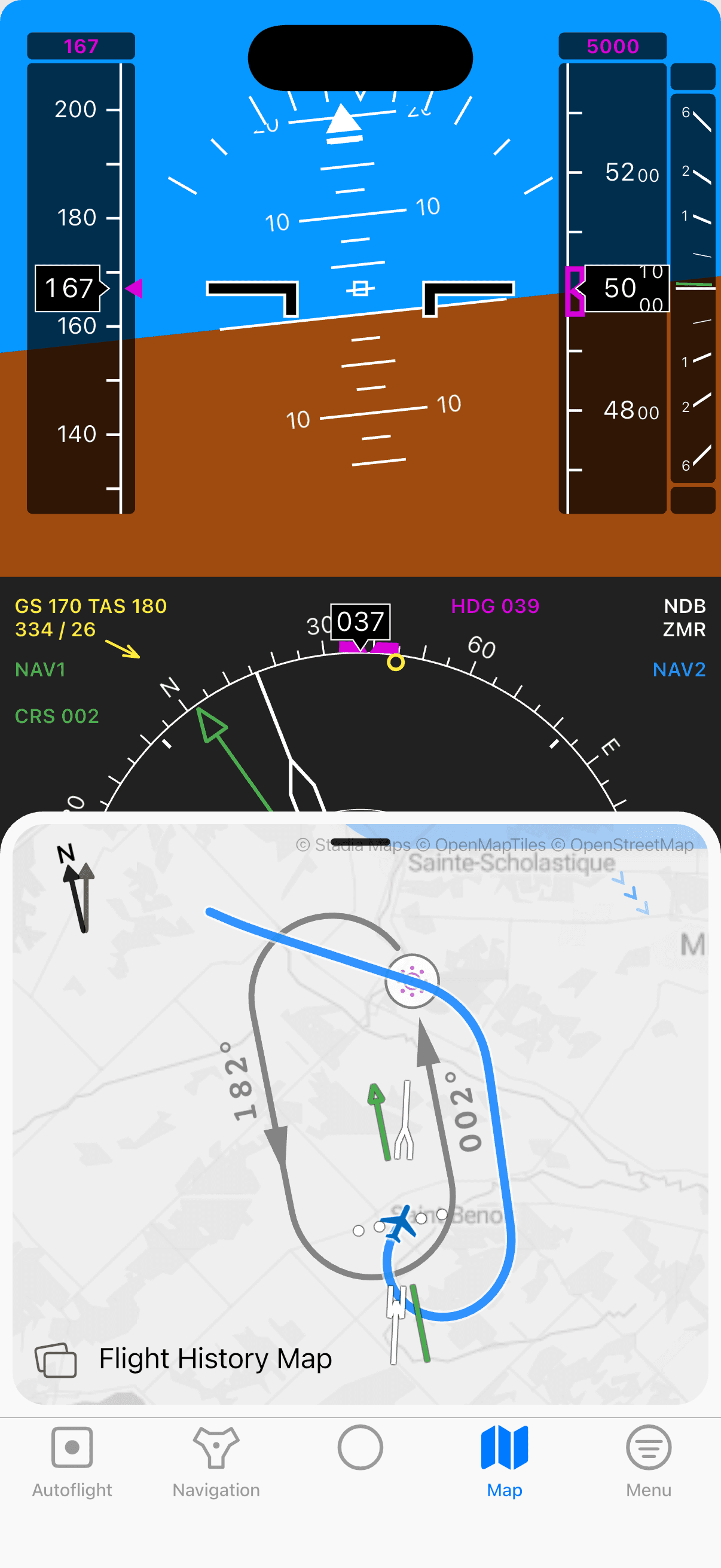
Realistic real-time flight physics in the cockpit you're training for — a modern PFD and ND, or a traditional HSI and RMI panel. Control the autopilot with aircraft-inspired rotary encoders. Fast-forward mode compresses holds and approaches. The live map shows your position with needle overlay — mapping instrument readings to the real world in real time.
- Switch between glass and analog cockpit for any exercise or free flight
- Fast-forward mode — speed up the flight to increase efficiency
- Live map with needle overlay, mapping instruments to the real world in real time
- Pause at any time to analyze the situation
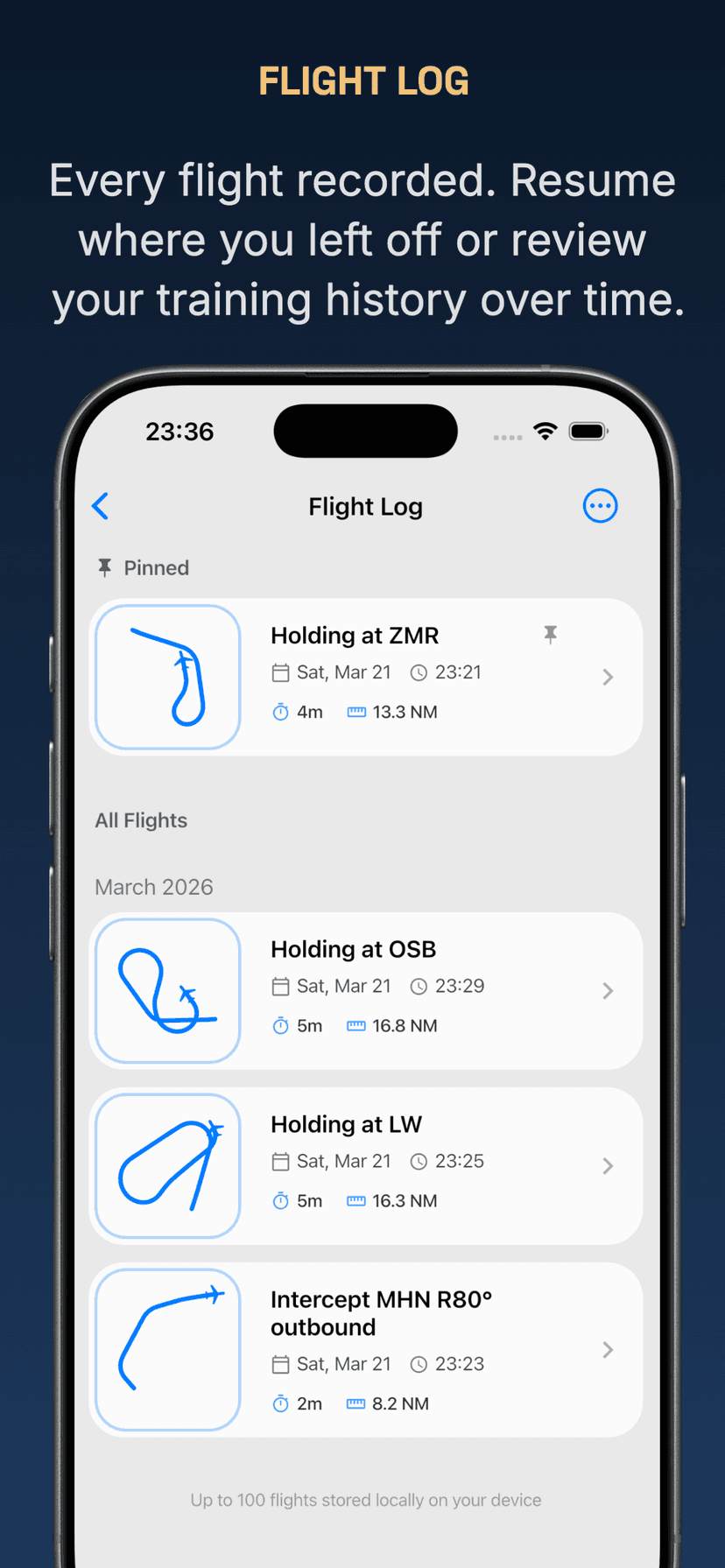
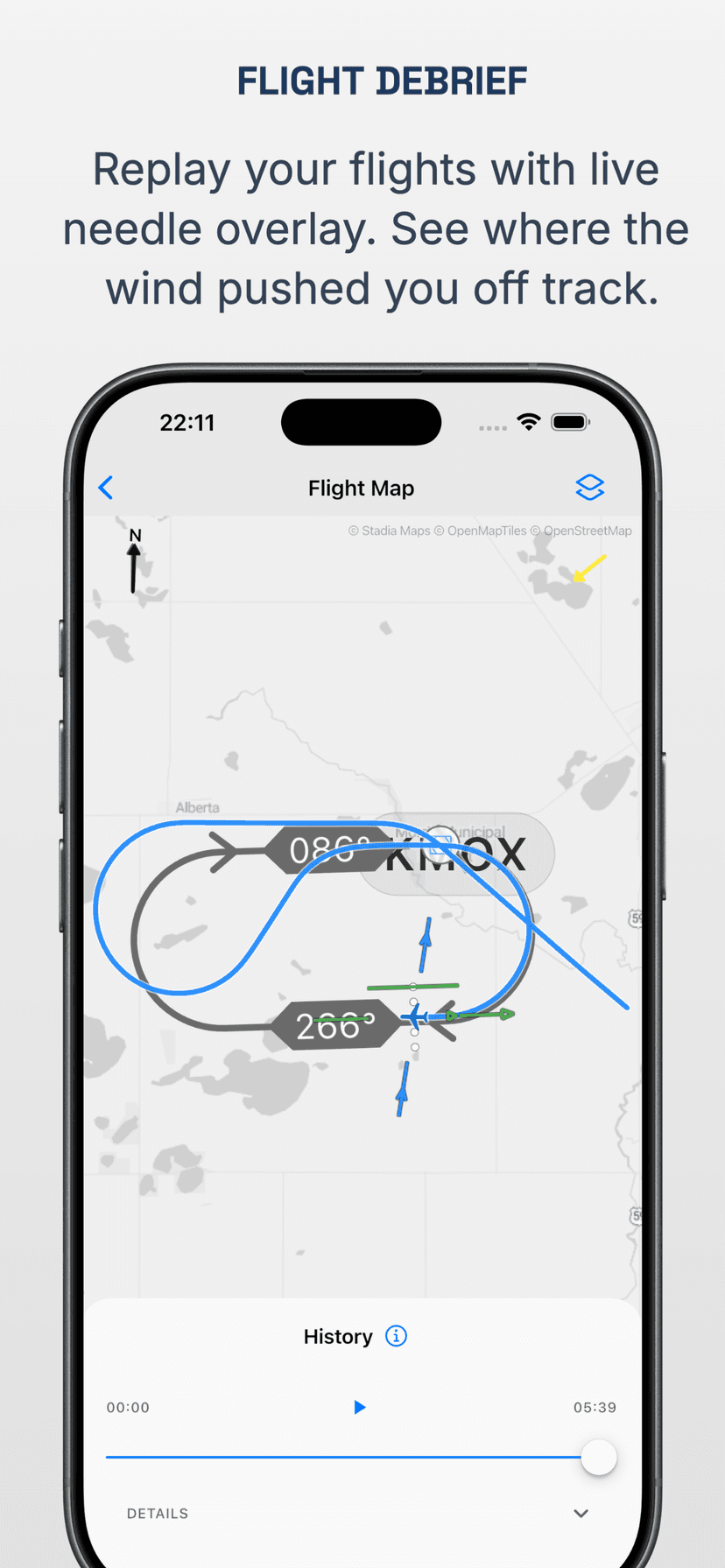
Review every flight — down to the needle
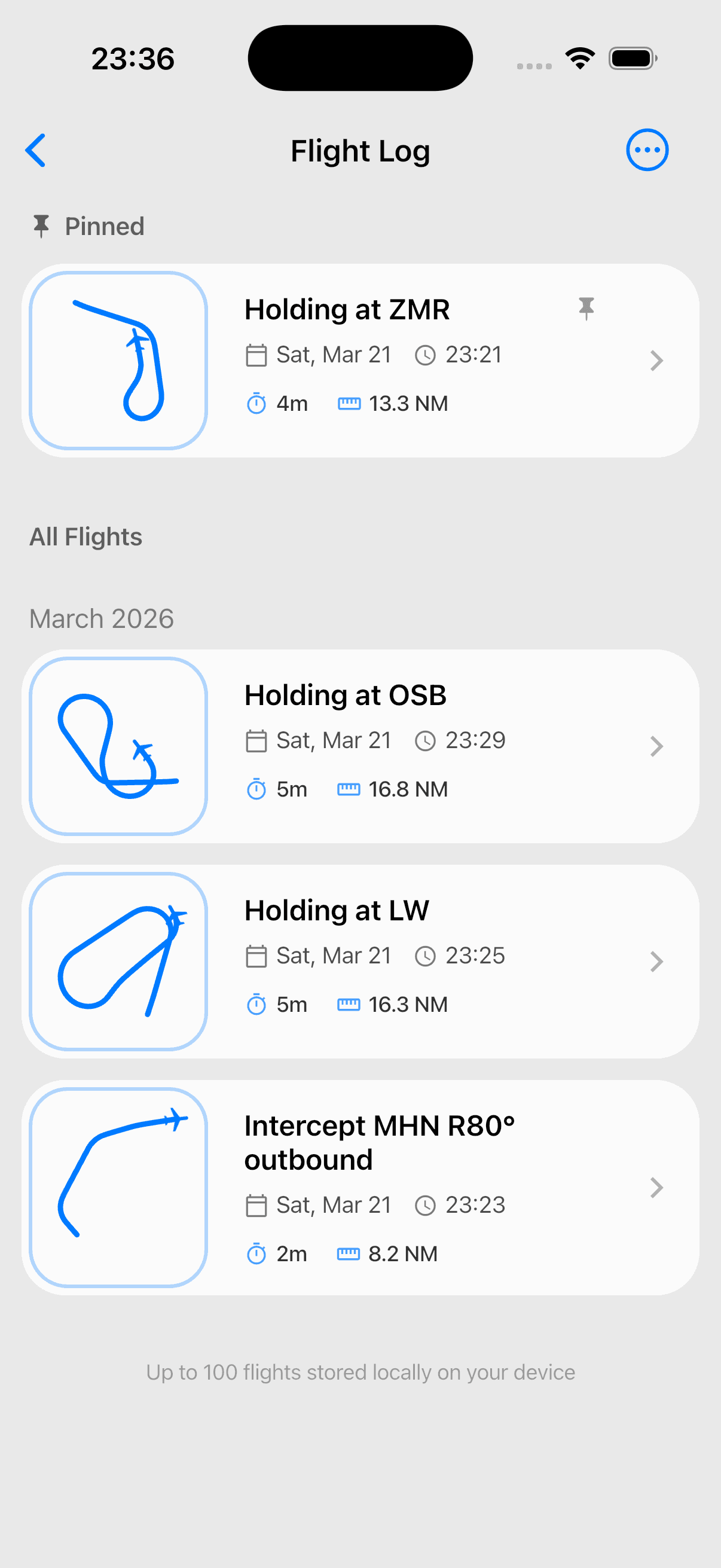
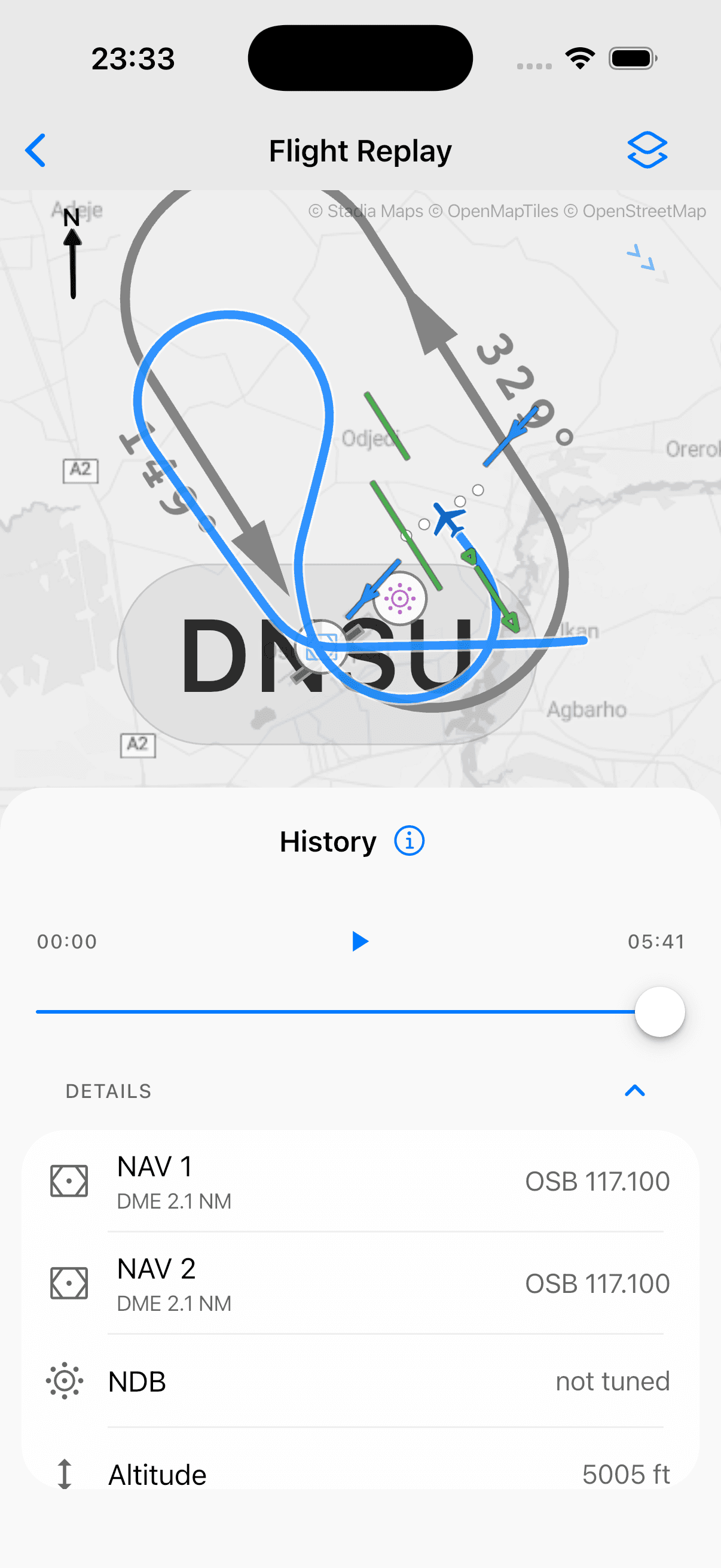
Every flight is automatically logged with full path and needle positions. Replay any flight to see exactly where your scan broke down or where the wind pushed you off track. Resume flights from the debrief to continue practicing where you left off.
- Flight path replay with live needle movement overlay
- Resume any flight from the debrief to continue where you left off
- Build a library of your training sessions over time
Master holding patterns — entry types, wind correction, all the details
Randomized holding situations with full entry procedure determination using the needle-tail 70/110 method. Calculate wind correction angles for entry, inbound, and outbound legs with step-by-step explanations.
- Optimal flight path overlay showing drift during turns — see why 3× WCA is needed outbound
- Live needle movement around the aircraft symbol for real-time instrument interpretation
- Chart view and instrument view for every situation
Fly radial and bearing intercepts with confidence
Practice VOR radial intercepts — inbound and outbound — as well as NDB QDR and QDM intercepts. Each randomized situation shows the navigation display needle setup and walks you through the correct intercept heading calculation with wind correction.
- Step-by-step solution with wind correction angle calculation
- Fly every intercept in the real-time simulator after solving it
- Chart view and instrument view for building the mental model
Fly DME arcs — entry, tracking, and exit
Randomized DME arc situations at real navaids. Walk through the arc entry, hold the distance with the turn-ten / twist-ten technique, and exit cleanly onto the inbound radial. Each situation includes a step-by-step guide to the entry lead distance and exit angle of lead calculations.
- Step-by-step entry, tracking, and exit calculations with wind correction
- Fly every arc in the real-time simulator after solving it
- Monitor the live map to see exactly how distance and radial behave on the arc
Fly real approaches at real airports — anywhere in the world
Worldwide airport and navaid coverage with real navigation data. Select any airport, set up on final, downwind, base, or further out — then fly the full ILS, VOR, or NDB approach. Tune your desired navaids, fly airport to airport, or repeat a single procedure until it's automatic.
- Worldwide navaid coverage — tune VORs, DMEs, and NDBs just like in the cockpit
- Fly ILS, VOR, and NDB approaches from any position — downwind, base, or extended final
- Navigate point-to-point between airports or fly full SIDs and STARs
Fly the full procedure — in glass or analog
Realistic real-time flight physics in the cockpit you're training for — a modern PFD and ND, or a traditional HSI and RMI panel. Control the autopilot with aircraft-inspired rotary encoders. Fast-forward mode compresses holds and approaches. The live map shows your position with needle overlay — mapping instrument readings to the real world in real time.
- Switch between glass and analog cockpit for any exercise or free flight
- Fast-forward mode — speed up the flight to increase efficiency
- Live map with needle overlay, mapping instruments to the real world in real time
- Pause at any time to analyze the situation
Review every flight — down to the needle
Every flight is automatically logged with full path and needle positions. Replay any flight to see exactly where your scan broke down or where the wind pushed you off track. Resume flights from the debrief to continue practicing where you left off.
- Flight path replay with live needle movement overlay
- Resume any flight from the debrief to continue where you left off
- Build a library of your training sessions over time
Mobile First
Optimized for phones and tablets
Practice IFR procedures wherever you are — on your commute, between flights, or at the hotel before a sim session.
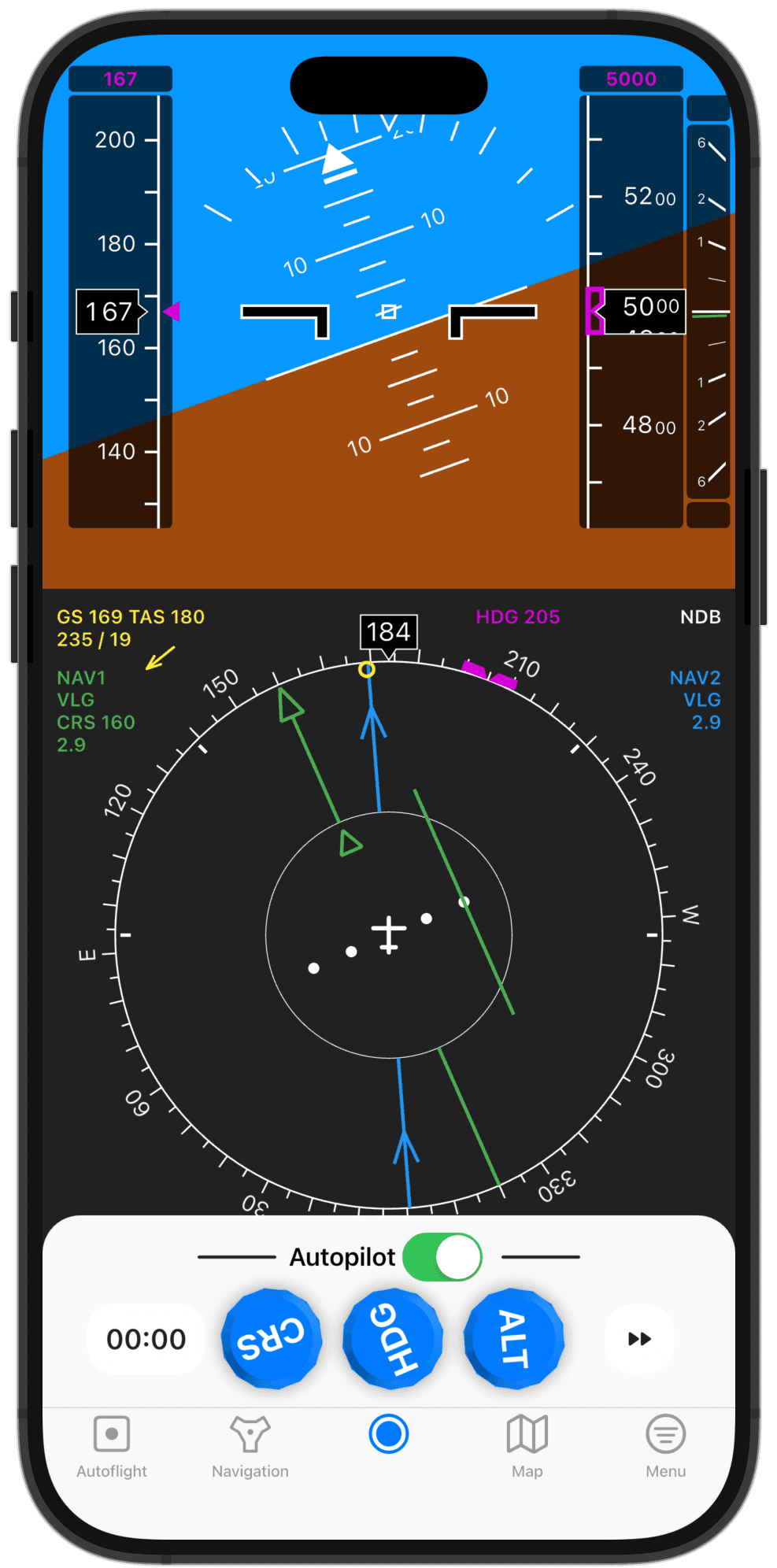
Train on your phone
Quick sessions anywhere — practice holds, intercepts, and approaches in just a few minutes.
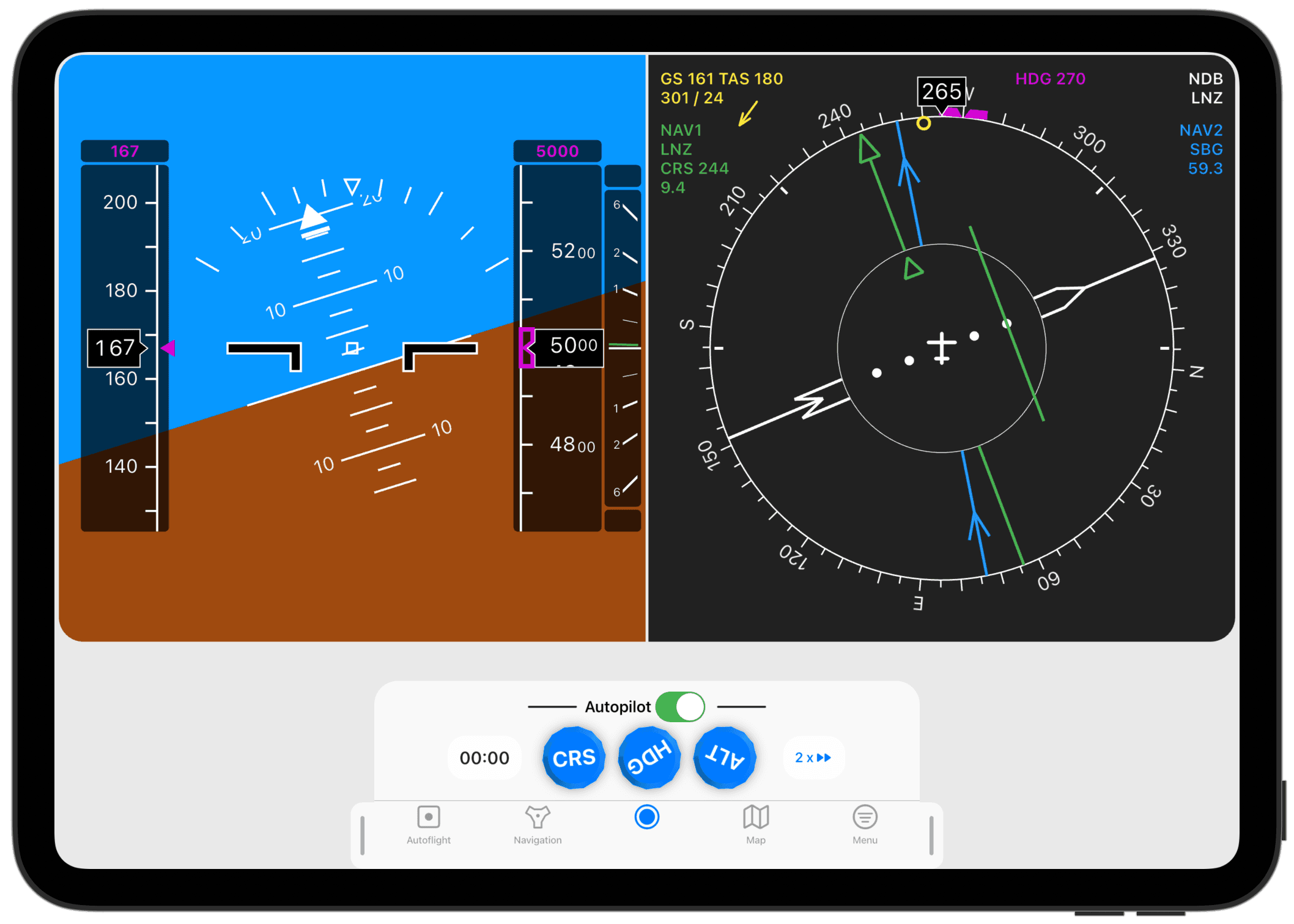
Bigger screen, deeper practice
Use the extra screen space for a more immersive experience with full instrument panels.
Start training before the sim
350,000+ pilots already sharpen their IFR skills with IFR Flight Simulator. Practice holdings, intercepts, and approaches anywhere — available on iOS and Android.